What Is an AI Receptionist? How It Works, Costs and Where It Fails
An AI receptionist answers your business phone, books appointments and hands tricky calls to a person. Here is how a call works, what it costs in 2026, and where it still falls short.
An AI receptionist is software that answers your business phone, talks with callers in plain sentences, and finishes the job: it books or moves an appointment, answers a common question, takes a message, or transfers the call to a person. It works at any hour and can take more than one call at once. That matters because, on average, 28% of business calls go unanswered, according to CallRail’s own call data published in July 2026.
Based on each vendor’s published pricing and documentation, checked 26 October 2026. We have not run call tests on these tools yet, and ByRole AI does not sell an AI receptionist or an answering service.
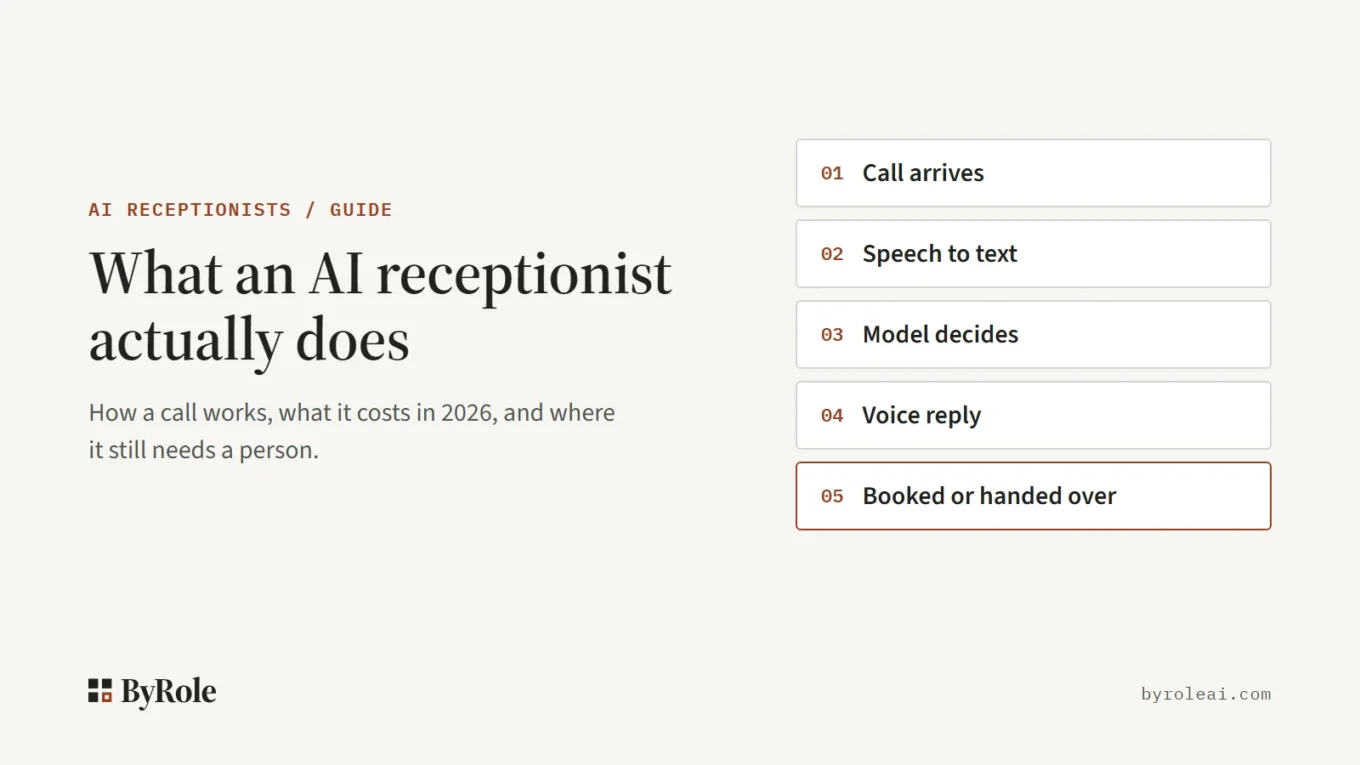
What an AI receptionist actually does
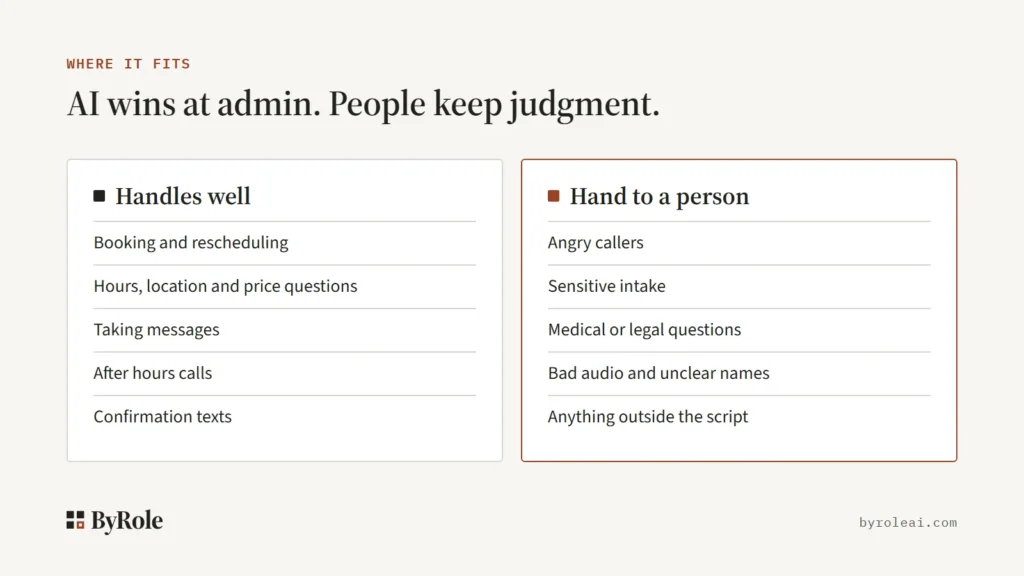
A caller can say “I need to move Thursday’s appointment to the afternoon,” and the system checks your calendar and offers a new slot. The core jobs:
- Books and reschedules appointments, straight into your calendar or by texting a booking link, depending on the plan.
- Answers routine questions about hours, location, services and prices.
- Takes messages with a name, number and reason for the call.
- Transfers calls to you or your staff, ideally with a short summary.
- Sends confirmation texts after a booking.
You will also see it sold as an AI phone receptionist, an AI answering service or an AI virtual receptionist. “Virtual receptionist” has long meant a remote human, so check which one a vendor is actually selling.
What it is not
It is not voicemail. Voicemail records a message and stops, and most callers will not leave one: Invoca’s platform data shows fewer than 3% of callers who reach voicemail leave a message.
Nor is it a phone menu that makes callers press 1 for sales and 2 for support. Callers say what they need in their own words.
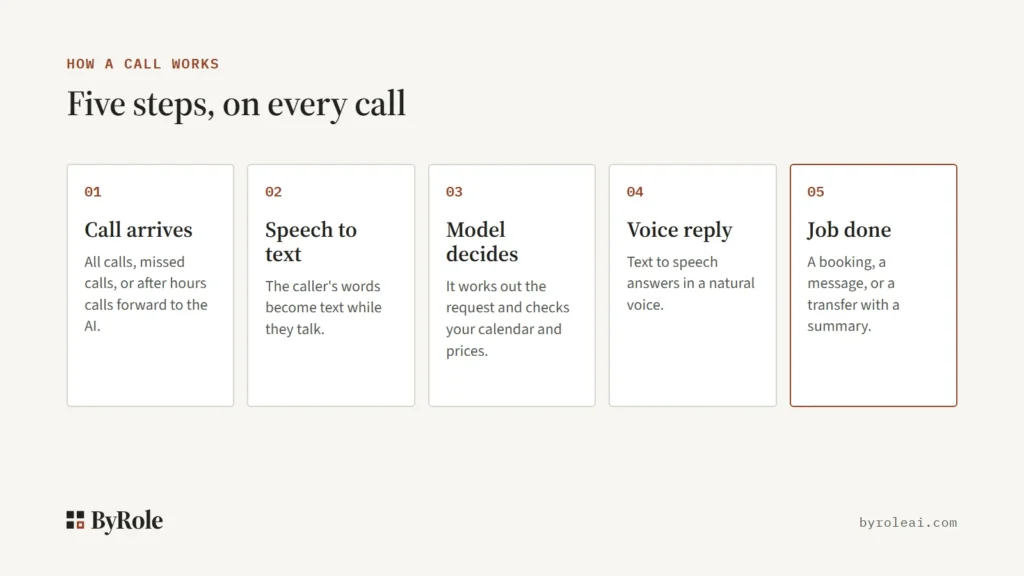
How an AI receptionist works: one call in five steps
- The call arrives. Your number forwards calls to the AI: all calls, only missed calls, or only after hours calls.
- Speech to text. The caller’s words become text while they are still talking.
- The language model decides. It works out what the caller wants and looks up what it needs: open slots in your calendar, your prices, your hours.
- Voice reply. Text to speech reads the answer back.
- Job done. It writes the booking to your calendar, sends you a message, or transfers the call with a summary for whoever picks up.
Why the knowledge base matters more than the voice
Buyers tend to judge an AI receptionist by how human it sounds. The bigger risk sits in step three. With a thin knowledge base the system guesses, and a confident guess about your prices or hours is worse than no answer.
Give it your hours, services, prices, service area and the exceptions your staff know by heart, such as “no new patients on Fridays.” The handoff in step five matters too: a transfer without a summary means the caller starts over with the person who picks up.
What it does well
After hours and busy hours. Calls that come in when nobody is at the desk, like a plumber’s phone at 9 p.m., are the main reason owners buy one. The AI answers them the same way it answers at noon, and it can take several at once instead of sending the second caller to voicemail.
Routine, repeatable calls. Booking, rescheduling, hours, directions and “do you do this?” questions follow a pattern, and pattern work is where software is dependable.
A record of every call. Each call leaves a transcript and an outcome: booked, message taken, transferred or dropped. You can see what callers actually ask and which questions the AI fumbled.
Where it fails
Judgment calls
An AI receptionist is weak wherever judgment about a person is needed: an angry customer who wants a manager, a sensitive intake, a medical question that needs a clinician, a legal question that needs a lawyer, or anything outside its script. Treat these as transfer triggers. A fast handoff beats a longer AI answer every time.
Bad audio and unclear names
Speech to text struggles with poor lines, background noise, strong accents and mumbled replies. It can mishear a surname, an email address or a date. A good setup reads booking details back and asks the caller to confirm them before the call ends.
Stale calendars and price lists
The AI only knows what its connections tell it. If your calendar sync breaks or your price list is six months old, it will book a slot that no longer exists or quote last year’s price, and sound sure of itself doing it.
Compliance paperwork
In health care, a vendor that handles patient information needs a signed business associate agreement (BAA) and proper security controls. Vendors differ sharply here. Smith.ai states its position plainly:
Smith.ai is not HIPAA-compliant, so we cannot handle calls that involve protected health information.
Smith.ai, FAQ on its legal industry page
The same answer says it still takes non patient health calls, such as FAQs and messages, for medical and dental practices. Others go the other way: RingCentral lists HIPAA and SOC 2 compliance as included with its AI receptionist, and Upfirst offers BAAs on its custom plan only. Get any agreement in writing before patient calls go through a tool.
When not to buy one
- Most of your calls need judgment or careful intake.
- You handle protected health information and the vendor will not sign a BAA.
- Your calendar and price list are not kept up to date.
- Nobody has time to read transcripts and fix wrong answers in the first few weeks.
- You already answer almost every call live during the hours people actually ring.
Do callers know it is AI?
Some will and some will not. Whether you must tell them is a separate question: rules on AI disclosure and call recording differ by state and country and are still changing. Ask your vendor what its greeting says, and check with a lawyer if you work in a regulated field. Saying it in the greeting is the safer default.
Most claims about caller reaction come from vendors. For a more neutral signal, ByRole AI read small business Reddit threads in October 2026; that is a reading of public threads, not a measured study. Fear of caller reaction came up often before purchase, yet no owner in those threads who had deployed one reported callers hanging up in anger. The fear looks bigger than the reported problem, but your own transcripts are the real check.
What an AI receptionist costs in 2026
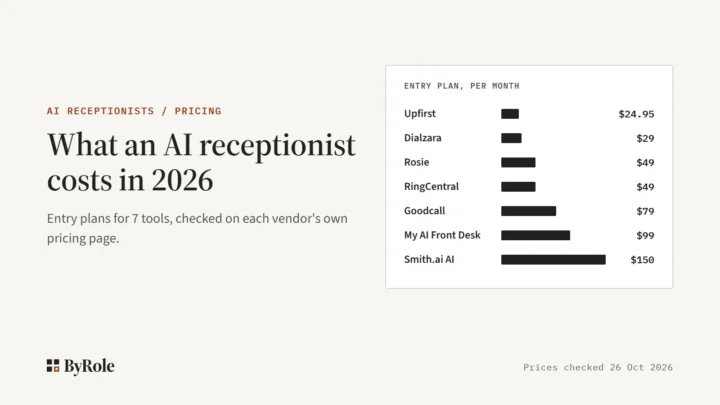
Paid entry plans for the AI tools ByRole AI tracks run from $24.95 a month at Upfirst to $150 a month at Smith.ai, which also has a free tier for 25 calls. The billing shape matters more than the headline price: some tools charge per call, some per minute, and Goodcall per unique customer, so a repeat caller counts once. Rosie, for example, does not bill overage minutes; it moves you up a plan.
| Tool and plan | Billing shape | Price | Included | Over the limit |
|---|---|---|---|---|
| Rosie Professional | Per minute | $49 a month | 250 minutes; booking links by text only | Moved up to the $149 plan (1,000 minutes) |
| Smith.ai AI Receptionist Pro | Per call | $150 a month | 75 calls | $2.50 per extra call |
| Goodcall Starter | Per unique customer | $79 a month | 100 unique customers, no per minute charges | 79 cents per extra customer |
For nine tools side by side, with overage rates, trials and two human services for contrast, see how much an AI receptionist costs.
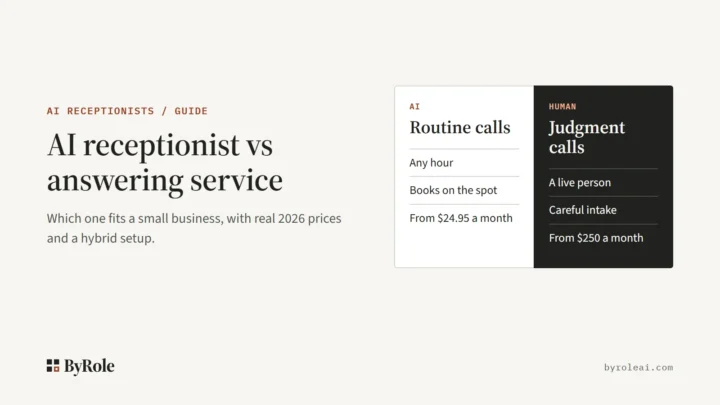
AI receptionist, answering service or voicemail?
- Voicemail is free, but fewer than 3% of callers who reach it leave a message, according to Invoca.
- A human answering service fits when most calls need empathy, judgment or careful intake. It costs more: Ruby starts at $250 a month for 50 minutes, and Smith.ai’s human receptionists at $300 a month for 30 calls.
- An AI receptionist fits when most calls are routine and time sensitive, and you need after hours coverage without hiring.
A mix is common: AI for routine and after hours calls, people for judgment. Smith.ai, for one, sells both. The full side by side, including a hybrid setup, is in AI receptionist vs answering service.
How to try one without risk
- Start with missed and after hours calls only. The AI only gets calls that would have gone to voicemail anyway.
- Load the knowledge base first. Add hours, services, prices and exceptions, and set transfer rules for angry callers and anything sensitive.
- Run it for two weeks. Rosie and Dialzara offer 7 day free trials, Upfirst 14 days, and Smith.ai’s free tier covers 25 calls, so a 7 day trial means paying for part of week two.
- Read every transcript. Note wrong answers, misheard names and calls that should have been transferred, then fix the knowledge base.
- Widen it only when the transcripts look clean, for example to daytime overflow.
Five questions to ask a vendor before you sign
- What happens when the AI cannot help? Does it transfer live, and does the person get a summary first?
- Does it write bookings straight into my calendar? On Rosie’s $49 plan it only texts a link; direct booking and warm transfer start at $149.
- What happens when I go over, and what counts as a call? Upfirst, for one, says spam and calls under 15 seconds do not count.
- Which features sit on a higher tier? Smith.ai keeps custom prompting and custom integrations on its $500 Enterprise plan.
- What will you sign, and can I take my data with me? Get any BAA in writing, and confirm you can export transcripts and call records if you leave.
When ByRole AI runs call tests on these tools, they will follow our How we test method. More on this role is on the AI receptionists hub.
Frequently asked questions
Is an AI receptionist worth it for a small business?
It is worth it if you miss calls after hours or while busy, and most of those calls are routine bookings and questions. It is a poor fit if most calls need judgment or careful intake. The safest test is to forward only missed and after hours calls for two weeks and read every transcript.
Can an AI receptionist book appointments?
Yes, if it connects to your calendar. It checks open slots, books or moves the appointment, and can send a confirmation text. Some entry plans only text the caller a booking link and keep direct calendar booking for a higher tier, so check which one your plan includes before you buy.
Do I have to tell callers they are talking to AI?
It depends on where you and your callers are. Rules on AI disclosure and call recording differ by state and country and are still changing. Ask the vendor what its greeting says, and check with a lawyer if you work in a regulated field. Telling callers in the greeting is the safer default.
Can an AI receptionist replace my front desk staff?
For routine calls it can take a lot of the load: bookings, hours, prices and messages, at any hour. It should not replace the people who handle angry customers, sensitive intake or anything outside the script. A common setup is AI for missed and after hours calls, with staff still answering during the day.
What happens when a caller asks for a real person?
A good setup transfers the call to you or your staff, ideally with a short summary so the caller does not repeat everything. If nobody picks up, it should take a detailed message instead. Ask each vendor how transfers work, because warm transfer is not included on every plan.