AI Receptionist vs Answering Service: Which Fits a Small Business?
AI receptionists win on routine and after hours calls, people win on judgment, and few callers ever leave a voicemail. Here is how the three compare on cost, booking and fit, with real 2026 prices.
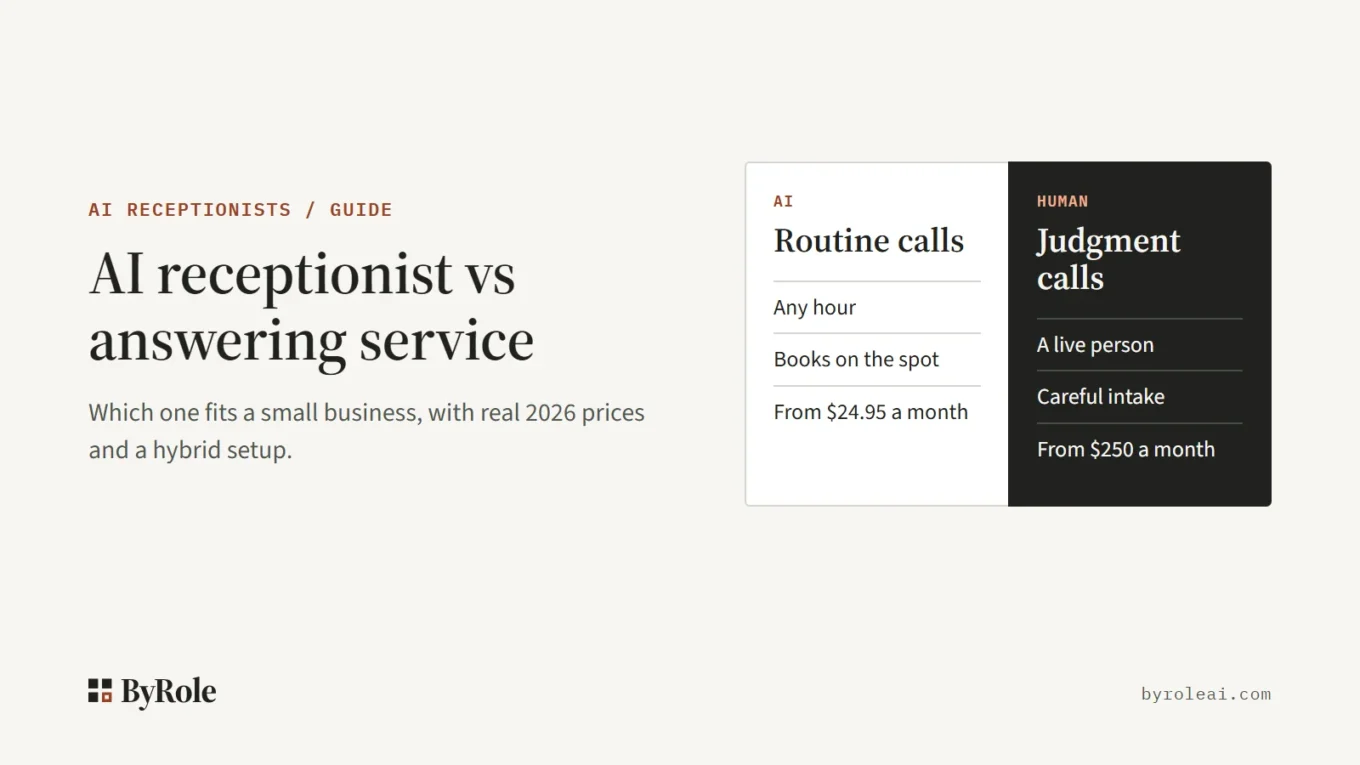
Short answer: pick an AI receptionist if most of your calls are routine (bookings, hours, prices, messages) and many come after hours. Pick a human answering service if most calls need judgment or a careful intake, and you can pay several times more per call. Do not rely on voicemail for new leads: Invoca’s call data shows fewer than 3 percent of callers who reach voicemail leave a message.
Based on each vendor’s published pricing and documentation, checked 26 October 2026. We have not run call tests on these tools yet, and ByRole AI does not sell an AI receptionist or an answering service.
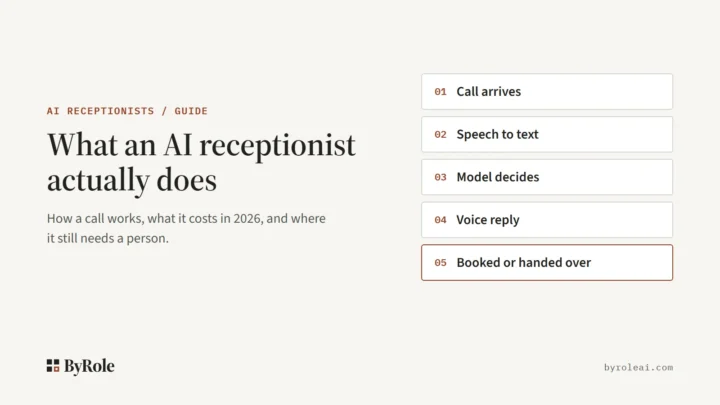
Many small businesses end up using both. New to the idea? Start with what an AI receptionist is and how a call works.
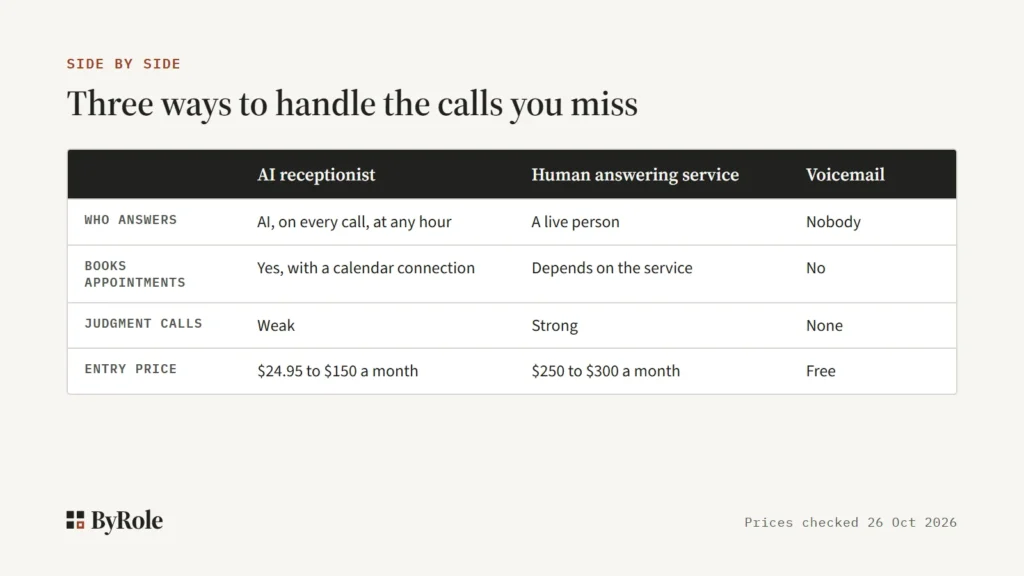
Side by side: AI receptionist, answering service and voicemail
Prices are entry plans from each vendor’s own pricing page.
| Point | AI receptionist | Human answering service | Voicemail |
|---|---|---|---|
| Who answers | Software, every call, any hour | A live person. Check the hours your plan covers | Nobody |
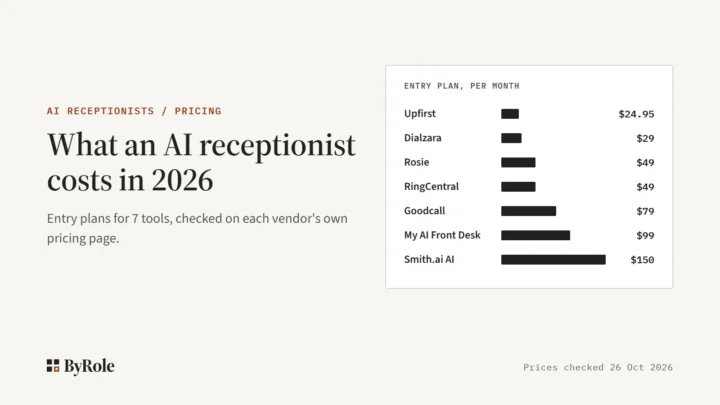
| Entry cost | $24.95 a month (Upfirst, 30 calls) to $150 a month (Smith.ai AI Pro, 75 calls) | $250 a month (Ruby, 50 minutes) to $300 a month (Smith.ai, 30 calls) | Free |
| Books appointments | Yes, with a calendar connection, sometimes only on higher tiers. Rosie adds direct booking at $149 | Depends on the service | No |
| Judgment calls | Weak | Strong | None |
| Transfers | Warm transfer with a summary on some plans only. Dialzara’s $29 plan has none | A person decides when to put a call through | None |
| Setup | Write the knowledge base, connect your calendar. Trials run 7 days (Rosie) to 14 days (Upfirst) | Brief the service on your scripts. Ruby lists no setup fees | Record a greeting |
| Compliance | Varies. RingCentral lists HIPAA and SOC 2. Upfirst offers BAAs on its custom plan only | Varies. Smith.ai says it is not HIPAA compliant | Check your phone provider |
The same 100 calls on AI and human plans
Price per call is where the two split. Assume 100 calls a month at 3 minutes each (300 minutes) from no more than 100 unique callers, the same assumptions as our AI receptionist cost guide.
| Plan | Type | Bill for 100 calls |
|---|---|---|
| Goodcall Starter | AI, per unique customer | $79 |
| Rosie Scale | AI, per minute | $149 (300 minutes is over the $49 plan’s 250) |
| Smith.ai AI Pro | AI, per call | $212.50 ($150 for 75 calls, plus 25 at $2.50) |
| Smith.ai Basic | Human, per call | $915 ($810 for 90 calls, plus 10 at $10.50) |
| Ruby | Human, per minute | Over the $720 plan’s 200 minutes, overage rate not published. Next plan: $1,725 for 500 |
Smith.ai sells both, so it makes the cleanest comparison. For this month, its human plan costs more than four times its AI plan. On included calls alone, its human Starter plan works out to $10 a call, against $2 on AI Pro.
AI receptionist: what it does well and where it breaks
Strengths
An AI receptionist answers at 2 a.m. the same way it answers at noon. It books and reschedules, answers hours, location and price questions, takes messages and sends confirmation texts. Every call leaves a transcript you can read.
It is also far cheaper per call, though billing shape matters. Upfirst, for one, does not count spam, silent calls or calls under 15 seconds.
Limits
Key features often sit on higher tiers. Rosie’s $49 plan texts appointment links, and direct booking and warm transfers start at $149. Smith.ai keeps custom prompting and custom integrations for its $500 Enterprise plan, though native integrations such as Clio and Zapier come with every plan.
The bigger limit is judgment. AI is weak with angry callers, sensitive intake, medical or legal questions, bad audio and anything off script. If the calendar connection breaks, it will book a slot that no longer exists.
Human answering service and virtual receptionist
A human answering service puts a live person on your line. The classic version takes a message and passes it on. A virtual receptionist is a remote person who answers as your front desk and may also book, transfer and do intake.
The terms blur. Search “virtual receptionist” and most results are human services, and Smith.ai sells its human plans as Virtual Receptionists. Yet many AI vendors call their software an “AI virtual receptionist”, so ask who picks up.
Where a person wins
People handle judgment: an upset caller, a new client with a legal problem, a tenant with an emergency. A good receptionist calms a caller, asks the question nobody scripted, and decides whether a call is worth interrupting you for.
What it costs, and what it does not cover
Entry plans start at $250 a month for 50 minutes at Ruby and $300 a month for 30 calls at Smith.ai. At 3 minutes a call, Ruby’s 50 minutes covers about 16 calls. Ruby lists no setup fees and includes optional AI features on every plan.
A person on the line also does not make a service ready for patient calls. Smith.ai’s FAQ is blunt:
“Smith.ai is not HIPAA-compliant, so we cannot handle calls that involve protected health information”
Smith.ai, legal industry page FAQ
The same answer says it still takes non patient health calls for medical, dental and wellness practices, such as FAQs, messages and new patient leads.
Voicemail is the real competitor
For most small businesses, the real alternative to an AI receptionist is not a human service. It is voicemail, or no answer at all. CallRail says that on average, 28 percent of business calls go unanswered, based on its own data published in July 2026.
Voicemail is free, but callers do not use it. Invoca’s platform data, published in May 2024, shows fewer than 3 percent leave a message, and its 2021 press release put it at 2 percent. For new leads, voicemail is close to no answer.
The hybrid most small businesses end up with
The common setup splits calls by type. The AI answers first and handles routine calls, then passes judgment calls to a person with a short summary: your staff, or a live answering service.
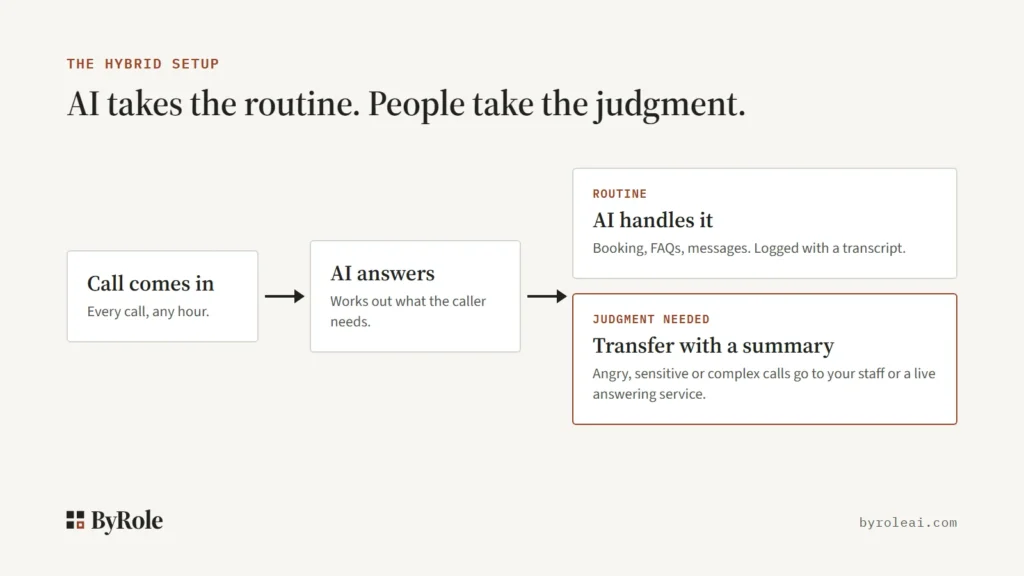
Two things make it work. First, buy a tier with warm transfer: Rosie includes it only from $149, and Dialzara’s $29 plan has none. Second, define in advance what counts as a judgment call: an angry caller, a sensitive intake, anything off script.
You can also buy both from one vendor. Smith.ai sells AI and human receptionist plans, and Ruby includes optional AI features with its human plans.
Which fits your business, by role
These verdicts use documented features and one rule: AI wins at routine admin calls and breaks where judgment about people is needed. For more by role, see our AI receptionists hub.
Law firms
New client intake is a judgment call, so keep a person on it, your staff or a live service. Use AI for scheduling, existing client messages and after hours calls; Smith.ai lists a native Clio integration on all its AI plans.
Home services
Most calls are routine: booking a visit, quotes, hours and service areas. AI fits well, especially after hours, as long as urgent jobs transfer straight to an on call person, so pick a plan with warm transfer.
Clinics
Patient calls bring HIPAA into play. Smith.ai says it cannot handle calls involving protected health information, RingCentral lists HIPAA and SOC 2 compliance for its AI receptionist, and Upfirst offers BAAs only on its custom plan. Get a signed business associate agreement before any patient call reaches a tool or service.
Salons
Salon calls are mostly booking, rescheduling and price questions, routine work AI handles well. Confirm direct calendar booking is on your tier, since Rosie’s $49 plan only texts a booking link.
Property managers
Viewings, office hours and routine maintenance requests suit AI. Tenant disputes, late rent conversations and emergencies need a person, so a hybrid with a clear transfer rule fits best.
Switching from a live service to AI
Do not cancel your answering service on day one. Check its notice period, then run both in parallel.
- Forward overflow and after hours calls to the AI first, and leave the live service on everything else.
- Read every transcript for two weeks. Fix wrong answers in the knowledge base, and add a transfer rule for any call type the AI fumbles.
- Widen the AI’s share once transcripts look right, for example to all routine daytime calls.
- Keep the human plan for 30 days after the switch as a fallback, compare bookings, then cancel.
Free trials cover the first step: Rosie offers 7 days and Upfirst 14. Call tests on these tools will follow our testing method.
Frequently asked questions
Is an AI receptionist cheaper than an answering service?
Usually, yes, by a wide margin per call. Smith.ai sells both, and its human plan costs about five times as much per included call as its AI plan. Entry AI plans also start well below human services. Billing shape and call volume still change the final bill, so count last month’s calls first.
Can an AI receptionist book appointments or only take messages?
Most can book if you connect a calendar, but check the tier. Rosie’s entry plan only texts an appointment link, and direct calendar booking starts on its Scale plan. Ask each vendor to confirm booking works with your calendar, and have the AI read details back before the call ends.
What is the difference between a virtual receptionist and an AI receptionist?
A virtual receptionist is usually a remote human who answers as your front desk, for example through Ruby or Smith.ai’s human plans. An AI receptionist is software that answers, books and transfers on its own. Some vendors call their software an AI virtual receptionist, so ask who actually picks up.
Can I use an AI receptionist and a human service together?
Yes, and many small businesses do. The AI answers first and handles routine calls, then transfers judgment calls with a summary to your staff or a live service. Smith.ai sells both AI and human plans, and Ruby includes optional AI features. Make sure your AI plan includes warm transfer.
How do AI receptionists handle angry callers?
Poorly, as a rule. Judgment about upset people is where AI is weakest, so a good setup transfers an angry caller to a person fast. In public Reddit threads ByRole read in October 2026, owners who had deployed one did not report angry hang ups, but that is a reading of threads, not a study.